Showing posts with label Tech Hacks. Show all posts

Friday, 6 January 2017

Eight Online Transaction Security Tips for Non Technical Folks

Eight Security Tips for Safe  and Secure Online Transactions for Non Technical Folks

cyber security tips and tricks for safe transactions online


Online transactions and its security:

Many of us often transact online for the following purposes
  •  Banking Transactions using internet banking services like balance inquiry, fund transfer, bill payments etc
  •  Payment transactions such as booking flight or train tickets, shopping, paying bills, mobile recharge, DTH recharge etc
As a 21st century human, this is a proud moment for us that we go digital.When I first transacted online, I felt very proud because we can get things done in just a few clicks in a very convenient way. In fact I enjoy online transactions. Let us see the other side of the coin.


Is transacting  online safe and secure?

Yes... it is safe and secure only when you take certain measures not to reveal your confidential information to unauthorized sources while transacting online.Unfortunately, many people do not know what these measures are and still continue to transact online depending only on their fate and luck.

There are huge number of online thieves watching continuously to get your confidential information to rob you. If you are cautious by following simple tips, you can make all your online transactions safe and secure.Here I am to help you on those tips. Before I suggest those tips let me make you understand 

Internet Banking Transactions:

what defines the security of internet banking transactions?

Well, the security depends on two factors.

The security maintained by your bank : This is the first and foremost factor. It depends on how the data base of the bank which holds your confidential information and the internet banking website you use to transact are secured by the bank. Well, it is the responsibility of the bank to ensure it is secure.So, all the banks have put their own security measures to ensure this. Thus, we have no need to worry about this. All that we can do is choose bank with best security history. If the banks security is compromised,although it is very rare case, any or all of bank's customers get affected.

The security measures maintained by you : You are responsible for safe guarding your confidential information like usenames,passwords,OTP etc. Every time you make an internet banking transaction, you need to enter your confidential information the username and passwords. If you do not take certain security tips to safe guard your confidential information,you will end up giving this confidential information and consequently your hard earned money to online thieves unwittingly. Let me help you with those important tips

Tips for safe Internet Banking transactions (click the link to check out those tips)

Payment related transactions:


In payment related transactions like booking tickets,bill payments,online shopping etc,we have multiple options of payment like net banking,credit card,debit card,digital wallets etc.
Here we make the payment to merchant through an online payment gate way provided by some bank.

Tips for safe and secure online Payment related transactions

#1. Don't shop at unknown online shopping websites: There are huge number of unknown online shopping websites which display lucrative discounts for some products. Mostly, you land at their websites through social media channels like whatsapp and facebook etc, Do not proceed to complete the order seeing those huge discounts unless you verify the authenticity of the website.
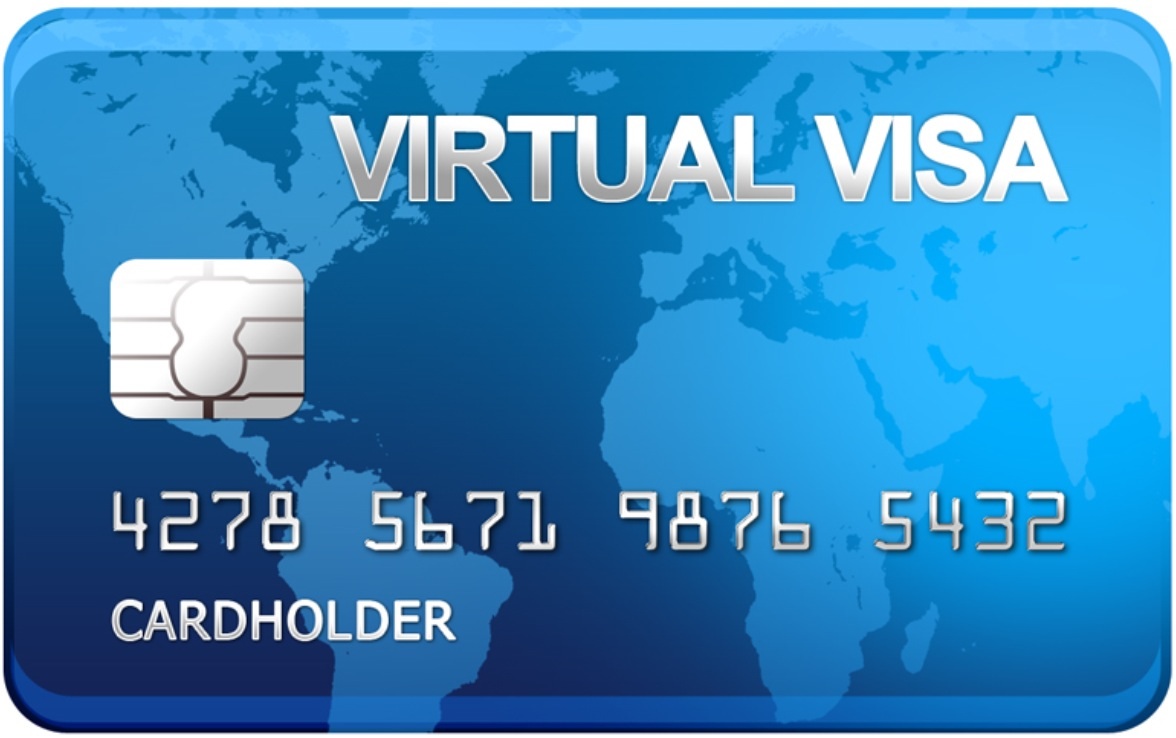
#2. Use a virtual debit or credit card always for payments: Virtual card is a temporary card valid just for one transaction.It is just a virtual card not a physical card. Nowadays almost all banks provide this facility You can easily generate it through internet banking for an amount you want to make a purchase or payment.This is a very highly secure method of online payments though it takes a little effort. Suppose your account balance is in a few lakhs of rupees and you want to make a mobile recharge of Rs 100, generating a virtual card for Rs 100 is safe and secure instead of using your physical card which can keep your entire account balance at risk.Even a professional and expert hacker cannot touch a person who uses virtual card for payments.This is an ultimate solution to any kind of online payment risks.

#3. Set different passwords for different accounts: A recent study has revealed that majority of the people use common passwords for a number of transactions including sensitive transactions like net banking and credit cards for the convenience of remembering. Using the same password makes you at high risk, If hackers can somehow get access to one password, they would virtually have access to all your accounts. The best way to keep you safe in the virtual world is to use unique passwords for different transactions.

#4. Make payments at only familiar and securely encrypted web sites or stores.The website URL must start with HTTPS and there should be a green padlock symbol on the left of  HTTPS. Never enter your card details on a website which starts with HTTP.

#5.Never enter your net banking username and password on other bank's payment gateways. Keep in mind that your debit and credit card details can be entered on other bank's secure bank payment gateways for payments but not net banking details.

#6. Do not share your confidential information of cards and net banking over instant messaging apps,SMS,E-mail etc even to the person you trust.If  you do that , you unknowingly disclose your confidential details to the digital world not just to your trusted friend or family member whom you send.

#7. Avoid using public computers or internet cafes for making online payments rather use personal computer or mobile or tablet.Also avoid using unprotected public wifi on any device for financial transactions over the internet.

#8. Ignore those phishing E-mails asking for your confidential information,Nothing comes free in the world. Don't believe those prize winning E-mails and stay away from them.

Hope these tips help you. If you like this post and want to read more such interesting stuff of life and tech, please like Amazing things4u facebook page (scroll down and click like) or simply type amazing things4u blog in google to land here

Wish you safe and secure online transactions


Read More »

7 Tips for Safe and Secure Internet Banking Transactions

Seven Tips or Precautions for safe and secure Internet Banking Transactions


Many of us do internet banking transactions without bothering about how we should actually do them safely and securely. If you do not follow certain basic security precautions for safe transactions, you may end up losing your confidential information and thereby your hard earned money. Here I am to help you with those tips and precautions


#1. Practice safe and secure ways to access your internet banking account 

A. Do not use any search engines not even google to access your internet banking website: why? 

Because online thieves are very crafty and cunning, they can make a website which exactly looks like your bank's internet banking website in appearance. Search engines just look for the keywords you enter in the search to serve you.They are not responsible if you get redirected to a thief's website based on the keyword you entered in the search. If your luck does not favor you at times, you may get redirected to fraud website and will end up giving your username and password to thieves by yourself unknowingly.
So, the best and safe practice to access Internet banking website of any bank is to directly the URL in the address Bar

Unsafe way to access INB website


Safe and write way to access INB website
Safe and right way to access INB website
B. After INB site opens completely, Check for the URL of the browser address bar . It must start with "HTTPSnot "HTTP"Here the letter 'S' stands for Secure communication.That means the communication between the bank's website and your browser is private. Data transferred in private communication is encrypted so that any third person or other website cannot see the information you enter on the website.


Also, check for the  green color padlock symbol on the start of browser address bar.Go ahead to log in only after checking these things.


how to check https pad lock symbol


#2. Change your passwords periodically. When you change your password, you start it afresh. Even if some one already stole your password and watching for a chance to empty your account,changing your password helps you to save you from your stalker

#3. Do not write or store passwords in a file on any computer system (including mobile or similar devices) rather remember them 

#4.Do not let your computer remember your password. Never accept auto complete option provided by your computer/ browser.

#5.Do not provide user-id and passwords on any page that appears when you click on a hyperlink received through email

#6. Do not respond to phone calls and emails asking for net banking passwords, OTP etc no matter how appealing and legitimate they appear

Hope these tips help you. If you like this post and want to read more such interesting stuff of life and tech, please like Amazing things4u facebook page (scroll down and click like) or simply type amazing things4u blog in google to land here

Wish you safe and secure net banking


Read More »

Friday, 16 December 2016

How to avoid mobile phone radiation

Mobile phone radiation in our lives:

mobile phone radiation when you talk over phone
In today's fast pacing tech world, mobile phone has become a must have gadget.It is mobile phone which stays with us 24x7. These mobile phones communicate wireless through Radio Frequency radiation.When you talk over mobile phone, you are exposed to some electromagnetic radiation generated by your mobile phone.Our bodies can safely absorb this radiation to some extent.This absorption rate depends on how close you keep your mobile to your body and for how much time you talk over mobile.If you keep your mobile more close to your body for more time,you are body absorbs more radiation which is not good for your health. Recent studies proved that getting exposed to more and more radiation  leads to so many Health Hazards linked to mobile radiation .

Mobile phone radiation hezards:

mobile phone radiation health hazards


I don't say avoid using mobile phones because it is almost impossible to stay without using mobile phones in today's tech world. So,when you use your mobile phone, I suggest you to follow some of the precautions I provide here to avoid any future health hazards and stay safe.

Precautions to avoid mobile phone radiation

1. Minimize the time you speak. Preferably use the mobile phone only for a very short duration.
2. Minimize the intensity of the irradiation. Avoid calling when the signal is weak, because then the mobile radiates maximally. Keep your phone as far away from your body as possible. For this purpose:
(i) Use safe headsets—the kind with a plastic tube between the earpiece and the phone. Search Google for tube + headset (or air tube)(scroll down to see such headsets) and you will find several alternatives.
(ii) Use a loudspeaker phone, as your headset may not always be available. But be careful that your face is as far away from the phone as possible to reduce absorption of radiation by the face.
3. Avoid putting the cellphone in your left pocket, which is closer to heart.
4. Avoid carrying cellphone clipped to your belt, as it has been found to affect fertility.
5. Use a rear shield for the phone to prevent radiation towards your body.
6. Buy cellphones with low SAR rating.
7. Buy cellphones of reputed make so that at least the present-day power levels are ensured.
8. Keep the cellphone away while sleeping.
9. Switch between the left and right side of your head when using the cellphone without headsets.
10. Pregnant women should avoid cellphone usage as it may affect the fetus.
11. More precautions should be taken with children since they are more susceptible to cell damage.
12. Avoid unwanted calls and advertisements through calls.
13. Use your landline, particularly when your work demands a lot of communication.

Hope you find my tips helpful.Comment if you have any doubts.

Radiation free Headphones on amazon:


Read More »

Thursday, 8 December 2016

Refresh on windows desktop screen

What Refresh on windows desktop screen in fact does?


refresh on windows desktop screen by a right click

If you are a windows user then this post is for you.We think that by clicking refresh on desktop screen after a right click or hitting F5, improves the performance of system or improve speed. Many of us practice this for the above purpose. But by doing this ,you are simply wasting your time and energy.

Why? Let me explain...

In windows OS for PCs, desktop screen is nothing more than a folder.when you click refresh on the desktop screen,you are just refreshing the contents of a folder named desktop.Yes,it does nothing more than this to improve performance.

So from now on, don't waste your time and energy by refreshing on desktop screen to improve performance of your system.

Well then,what is the use of this refresh?


As I mentioned earlier, The Desktop is nothing but a folder in the Windows operating system. It is programmed to auto-refresh when its contents change. When the contents of the folder changes, it will auto-refresh. But at times, you may find that the desktop or folder does not auto-refresh.


Refresh your desktop manually in the following circumstances:

  • The desktop does not display the files or folders you just created, moved, deleted, renamed or saved on it
  • You need to re-align your desktop icons
  • You find that you cannot use the desktop icons.
  • Files that were created to the desktop by some 3rd-party application do not appear
  • And such similar situations where the contents of the desktop or the folder do not change when expected to.

Read More »

Wednesday, 7 December 2016

Simple keyword to quickly opetate a fire extinguisher

How to easily and quickly operate fire extinguisher:

PASS.........
Many of us do not know how to operate the fire extinguisher. We think "no problem. Instructions are written on the extinguisher,I will read and operate in case of fire".  But fire does not stop until we read and follow the instruction.So,you had better remember this pass code and be faster than fire to douse it before it breaks out.

how to operate fire extinguiser


Read More »